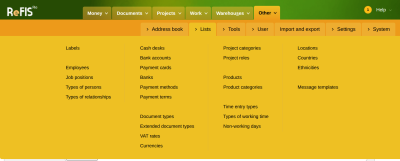
Before work in ReFIS starts, the system administrator - usually together with a ReFIS consultant - sets up several code lists and settings. Without them, ReFIS does not know who may see what and what the company tracks money by.
What always has to be set up
- Job positions and their rights - who sees what and which modules they work with
- Employees and their job positions. You can import them from LDAP or from Microsoft Entra ID.
- Labels by which the company tracks money - for example departments, projects and payment reasons
What is worth setting up right away
- the address book of business partners - you can import it from XLSX
- Bank accounts, cash desks and payment cards and import of bank statements
- Number series and document templates for the documents the company issues
- Rules for documents - who approves documents. Without them, you enter the approvers manually for every document.
The other code lists - for example currencies, VAT rates or document types - are prepared, and you change them only when the company needs something extra. An overview of all of them is in the article Code lists.